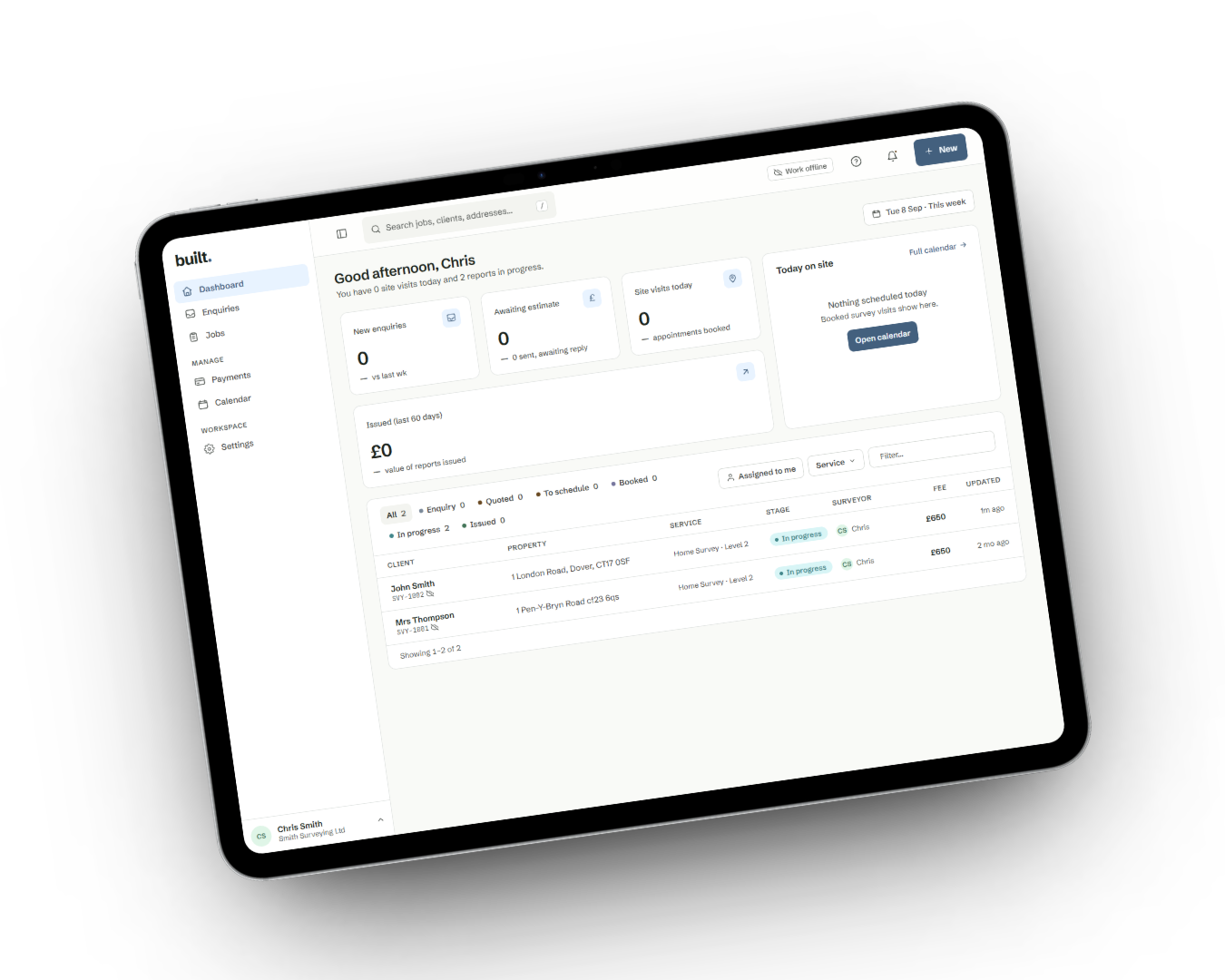
For residential and commercial surveyors
Write survey reports in half the time
Speak, type, photograph or sketch. Your standard phrases and AI-assisted drafting do the rest
Watch 2-min demo

Take the tour
Follow one job from enquiry to issued report
Start where most surveyors do — the survey and the report — then step back through the quote and the booking that got you there.
Speak, type, photograph or sketch
Everything you record lands in one site-notes feed, on a phone or tablet, with or without signal.
Report writing
Your notes, shaped into your report
Capture it while you’re standing there
Photos, notes and sketches land in one site-notes feed on your phone or tablet — with or without a signal.
Say what you see
Speak your observations as you inspect. Built transcribes your voice notes so you’re not typing them up that evening.
Mark up the photo, not a paragraph
Draw an arrow, a box or a measurement line straight onto the photograph. The original is never altered.
Your wording, one keystroke away
Type / in any field to drop in your practice’s standard phrasing, with the blanks ready to fill for this property.
A first draft you can check
Each note is routed to the section it belongs to. Review every AI suggestion beside your original note and choose what goes in.
Nothing goes out without a sign-off
Check the wording and condition ratings yourself, or route the draft to a colleague for peer review, before the client sees it.
Also includedRICS Home Survey Levels 1, 2 and 3 built inReport template builderTraffic-light condition ratings
The rest of the job
Bring the rest across when you’re ready
Reports work on their own. Move your enquiries, quotes, payments and bookings into Built at your own pace, and keep more of each job in one place as you go.
- Enquiry
- Quote & payment
- Booking
- Survey & report
- Delivery
Enquiries and quotes
From website enquiry to quote sent
Visitors request a quote through a widget on your own site. The request arrives as a draft estimate with your fee band already in it, ready to send.
See morePayment and booking
Accept, pay and book from the quote
Your client opens a private quote page on any device, with no login. Accepting it takes the deposit and puts the visit in your diary.
See moreJobs board and diary
Every job at the stage it’s actually at
One board for all your live work, and a team calendar that checks the surveyor’s week before it lets a second visit land on it.
See moreDelivery
Share the report with one link
Send a link your client opens in whatever browser they already have, then prints or saves as a PDF — and forwards on themselves.
See moreOn every device
The same job, wherever you’re standing
Capture on a phone or tablet on site — with or without a signal — then write up on the computer at the desk. It’s one job and one set of notes, not a file you move between them.


- PhoneIn the loft, on the roof, in the car
- TabletRoom by room, with photos and sketches
- ComputerWriting up and issuing at the desk
- No signal, no problem. Photos and notes save to the device as you work and sync themselves when you’re back in range.
Why choose Built Reports?
Now you have seen what it does — the terms you are signing up to.
Month-to-month, no lock-in
We earn your business every month by helping you grow. Switch plans any time, prorated, and cancel whenever you like.
Support 7 days a week
Reach us by phone or email — every day of the week. Quick responses to keep your jobs moving.
Built for surveyors, not adapted
Condition ratings, standard phrases, RICS report structures and site capture are the product, not add-ons bolted onto a generic CRM.
Your work stays yours
Your notes are never used to train AI models, everything is encrypted in transit and at rest, and card details are handled by Stripe and never touch Built.
“It has taken the evening admin out of the job entirely — and we’re winning more instructions off the back of faster quotes.”
Marchwood Surveying
Plans
Priced for a sole practitioner up
Month to month, no lock-in, and no setup fee. Prices exclude VAT.
Solo
For a single surveyor getting started.
£29/month
- 1 surveyor seat
- Unlimited estimates & reports
- In-app card payments
Studio
For small teams running regular surveys.
£79/month
- Up to 10 seats
- Everything in Solo
- Report template builder
Practice
For established multi-surveyor practices.
£159/month
- Unlimited seats
- Everything in Studio
- Roles & permissions
Taking card payments carries a separate per-transaction fee. You can also record payments received by bank transfer or cash at no cost.
Try it for yourself
Your first look starts with a report.
An example job is ready when you sign up. Start in the report editor and explore the wider business tools at your own pace.
Open the example report
Get instant access to a part-written Level 2 report, with a sample client and job ready to explore.
Make the wording your own
Try the editor, explore standard phrases and see how notes and photographs sit alongside your report.
See the finished result
Preview the report and its PDF. Check the layout, wording and photographs your client will receive.
Instant access. Example report included.
Questions about Built
What happens when I start free?
You get instant access to Built. Your account includes an example client, an accepted estimate and a part-written Level 2 report, so you can explore the editor and PDF before adding your own jobs. Clear the example when you’re ready.
Can I start with report writing on its own?
Yes. Start with your reports and use the wider business tools when you’re ready. You can bring enquiries, quotes, payments and bookings into Built at your own pace, keeping more of each job in one place as you go.
Explore the full platformI work on my own. Is Built for me?
Yes. Built works for sole practitioners as well as small surveying teams. When you’re working alone, team approval steps stay out of the way. Solo is £29 a month, excluding VAT.
Compare plansCan I preview the finished report?
Yes. Use the example Level 2 report in your account to explore the editor and PDF. In a walkthrough, we can also discuss the report types and layout your practice needs, including where photos and standard wording fit.
Book a walkthroughDo I have to use AI?
No. AI is off by default. You can still organise notes and use your standard phrases with it switched off. If you enable it, review each suggestion beside your original note and choose what goes into the report.
How Built uses AIWhat will it cost when I choose a plan?
Solo starts at £29 a month, excluding VAT. The pricing page sets out monthly and annual subscriptions and the separate fees for taking card payments. You can also record payments received outside Built.
See plans and payment fees